
Native disk analysis · Thoughtful cleanup
Your disk space,at a glance.
See folder and hidden-directory usage and compare scans over time. Review cleanup suggestions before confirming; source files and release installers stay protected.
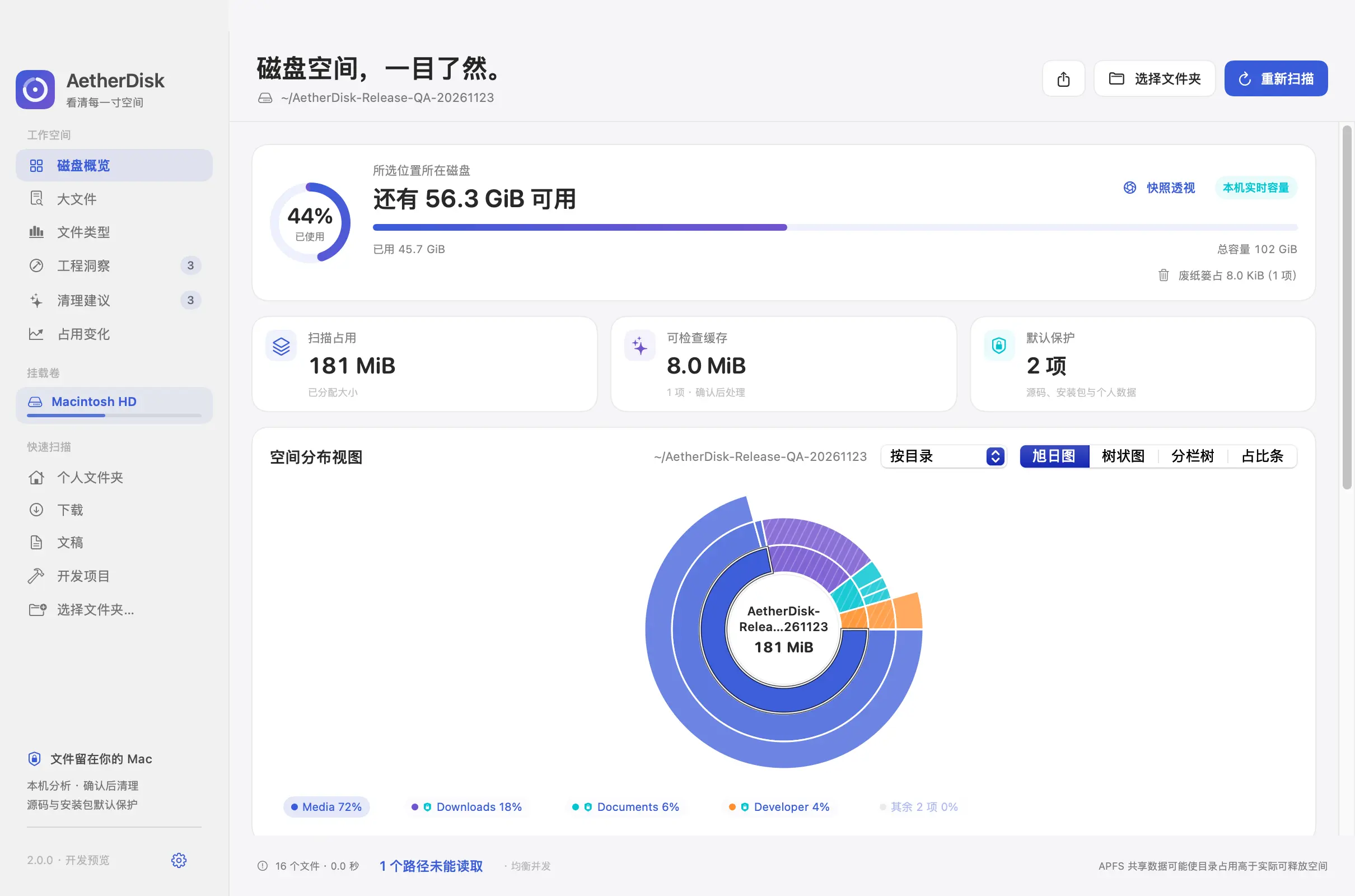
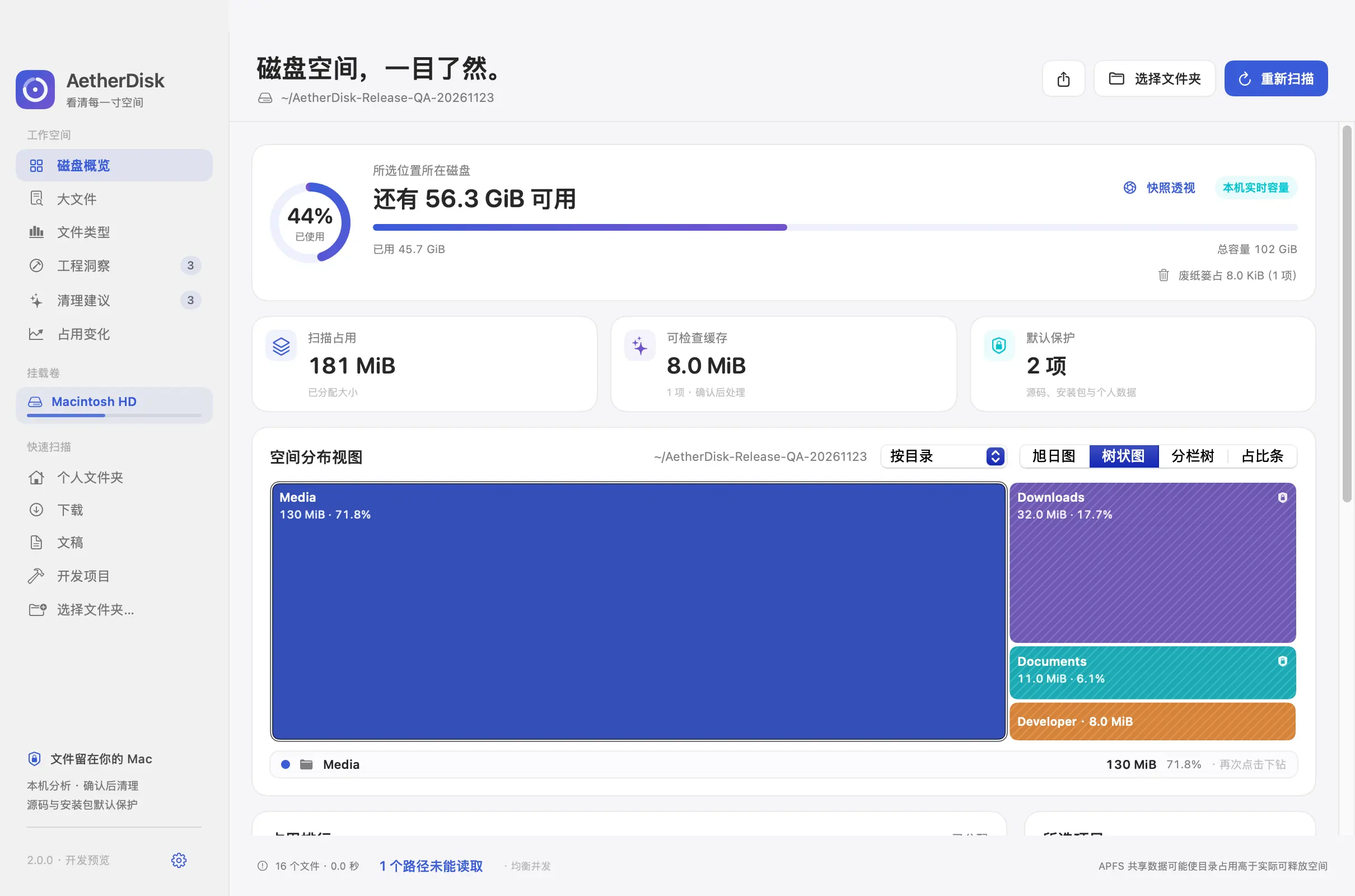
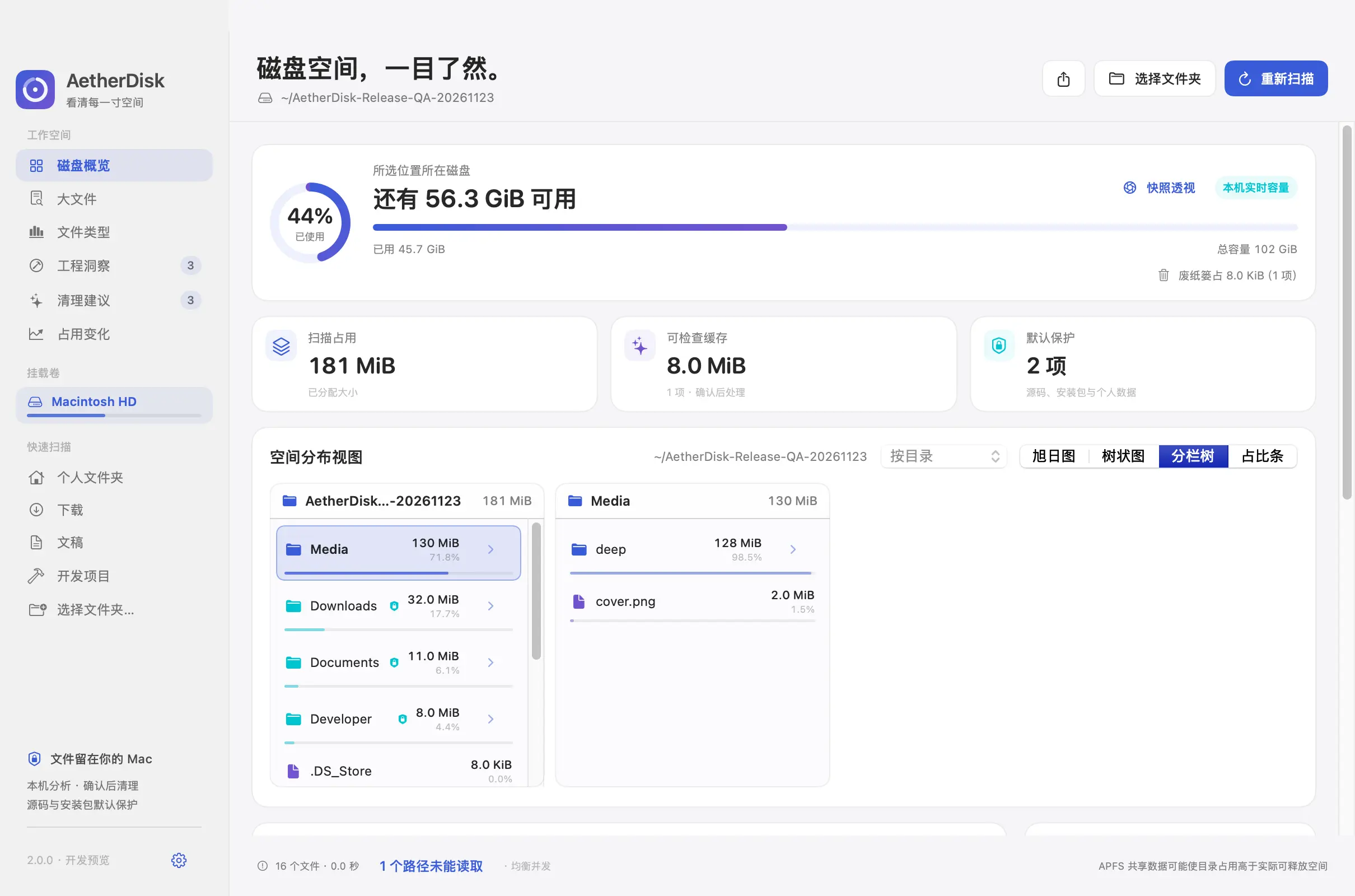
AetherDisk 2.0.0 is now released with Sunburst, Treemap and Miller Columns visualizations across four color modes, three disk-friendly scan performance profiles with IOPOL_THROTTLE throttling, mounted volume switching and read-only APFS snapshot insights, metadata-only duplicate clues, Quick Look previews and multi-snapshot trend charts. Folder usage is not a promise of reclaimable space; moving files to Trash does not immediately free space.
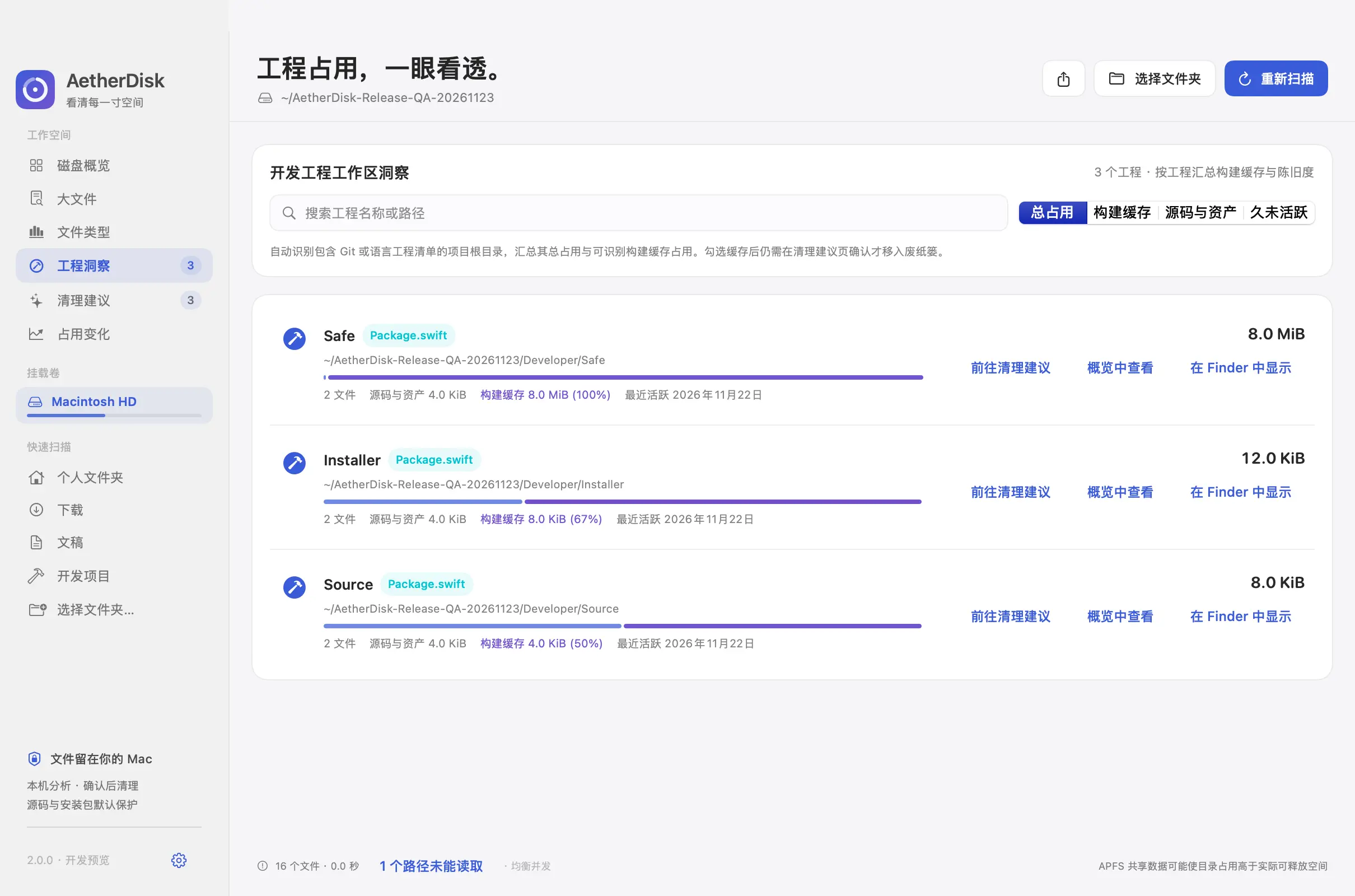
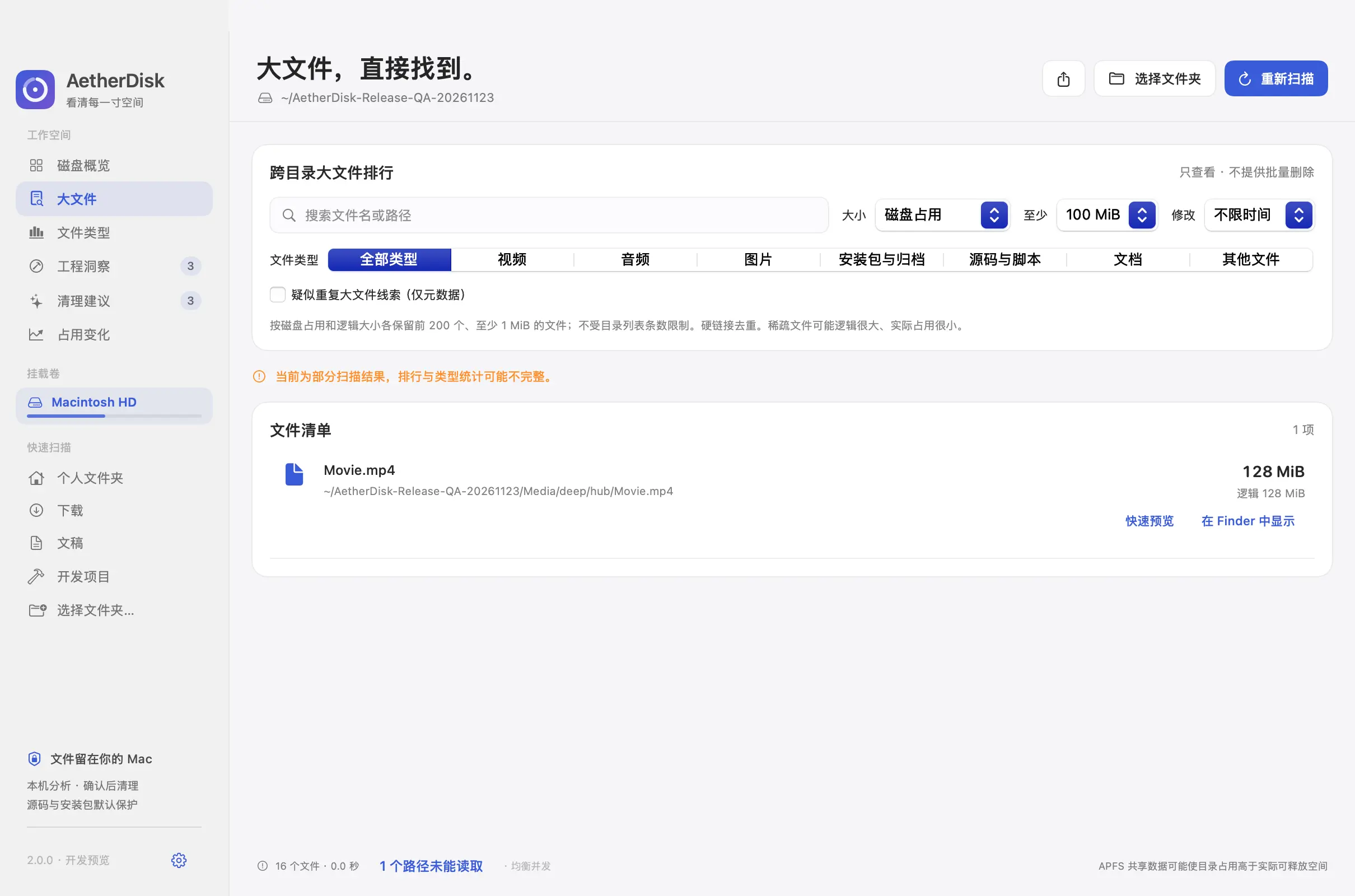
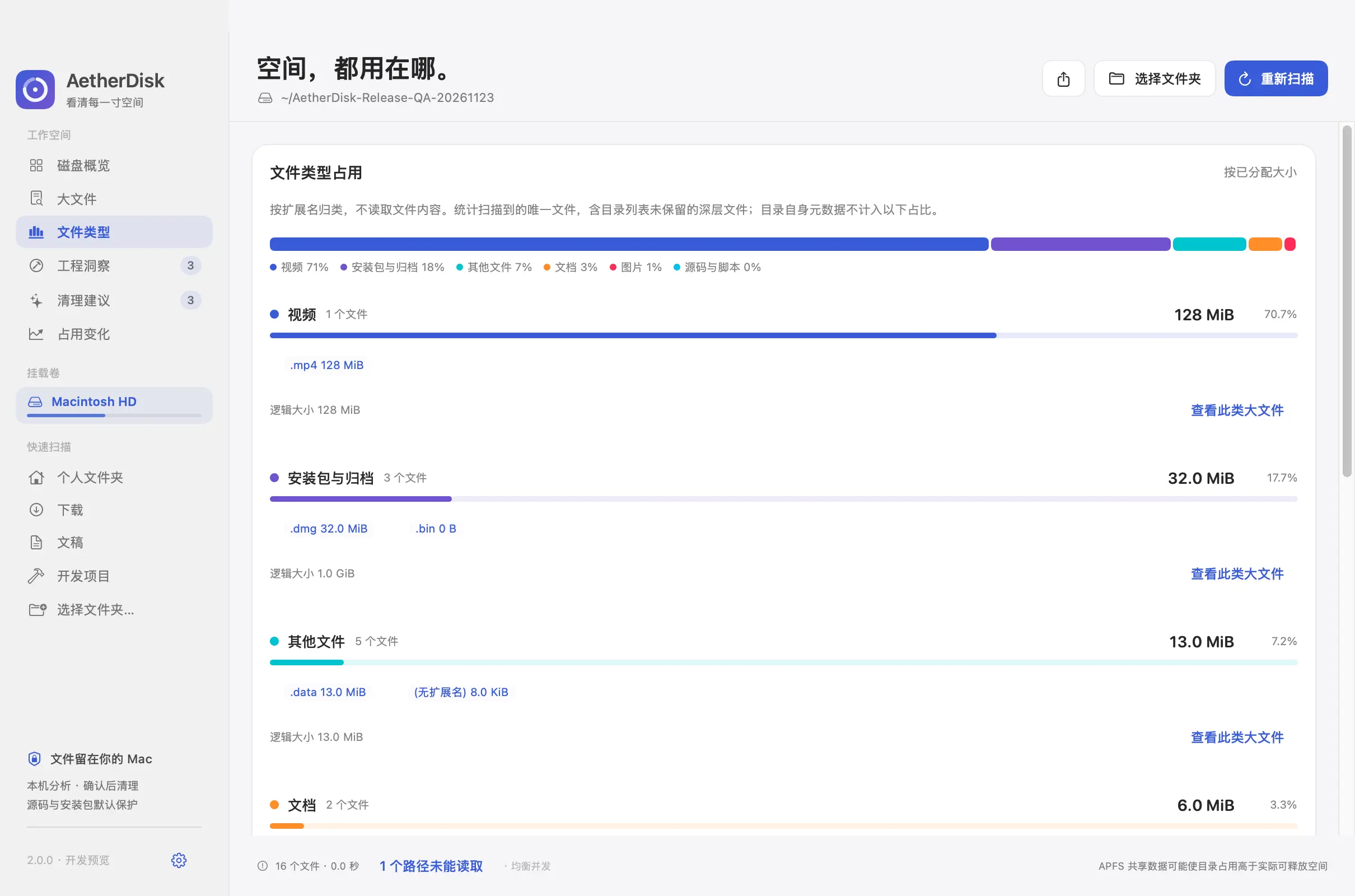
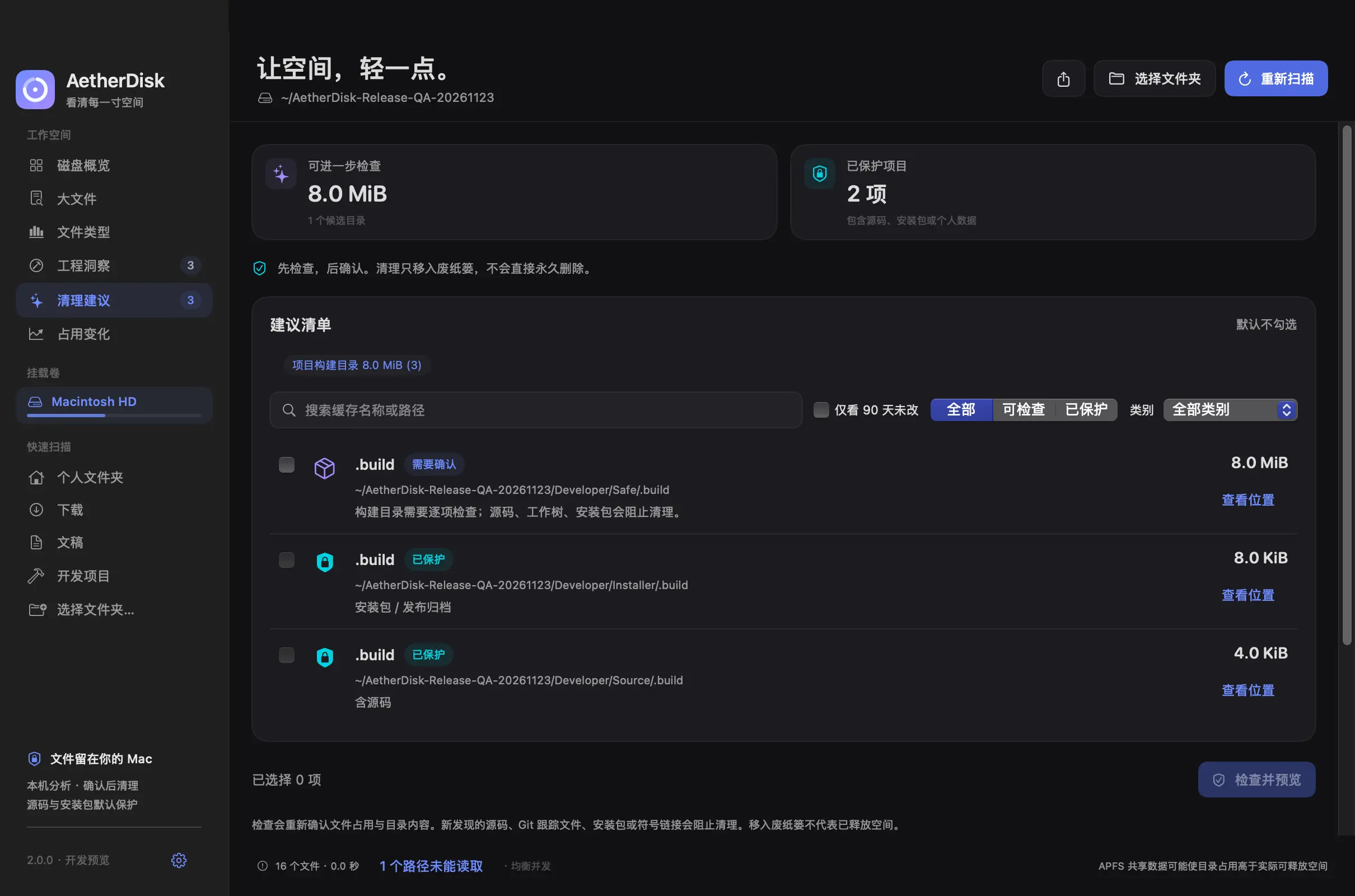
Clarity at every step.
Local scans. Conservative suggestions. Explicit confirmation.
Sunburst, Treemap & Miller Columns
Switch across four spatial views with four semantic color modes. Click to inspect, click again to drill down, with diagonal hatching and shields for protected paths.
Disk-friendly bounded concurrency
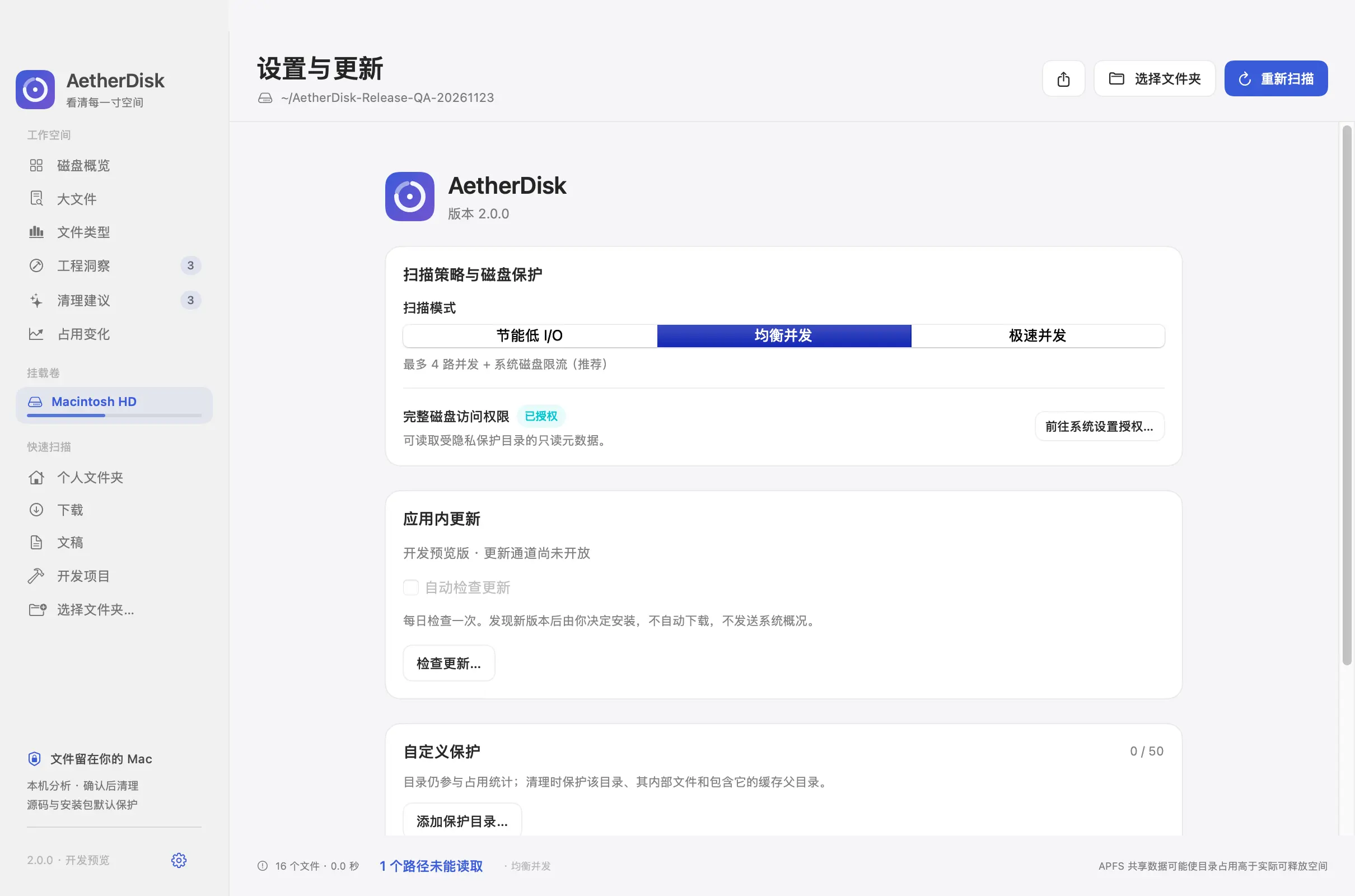
Choose Eco, Balanced or Fast scan profiles with Darwin IOPOL_THROTTLE disk throttling and hard-link deduplication. Never reads file contents, follows symlinks or crosses volumes.
Volumes & read-only APFS snapshots
Switch mounted volumes in the sidebar (external volumes are strictly read-only). Inspect APFS local snapshots, Trash usage and Full Disk Access read-only without deleting snapshots.
Metadata duplicate clues & Quick Look
Groups ≥1 MiB unique-inode files by logical size and extension without reading file contents. Includes native Quick Look (⌘Y) and drag-and-drop folder scanning.
Source, installers & custom protection
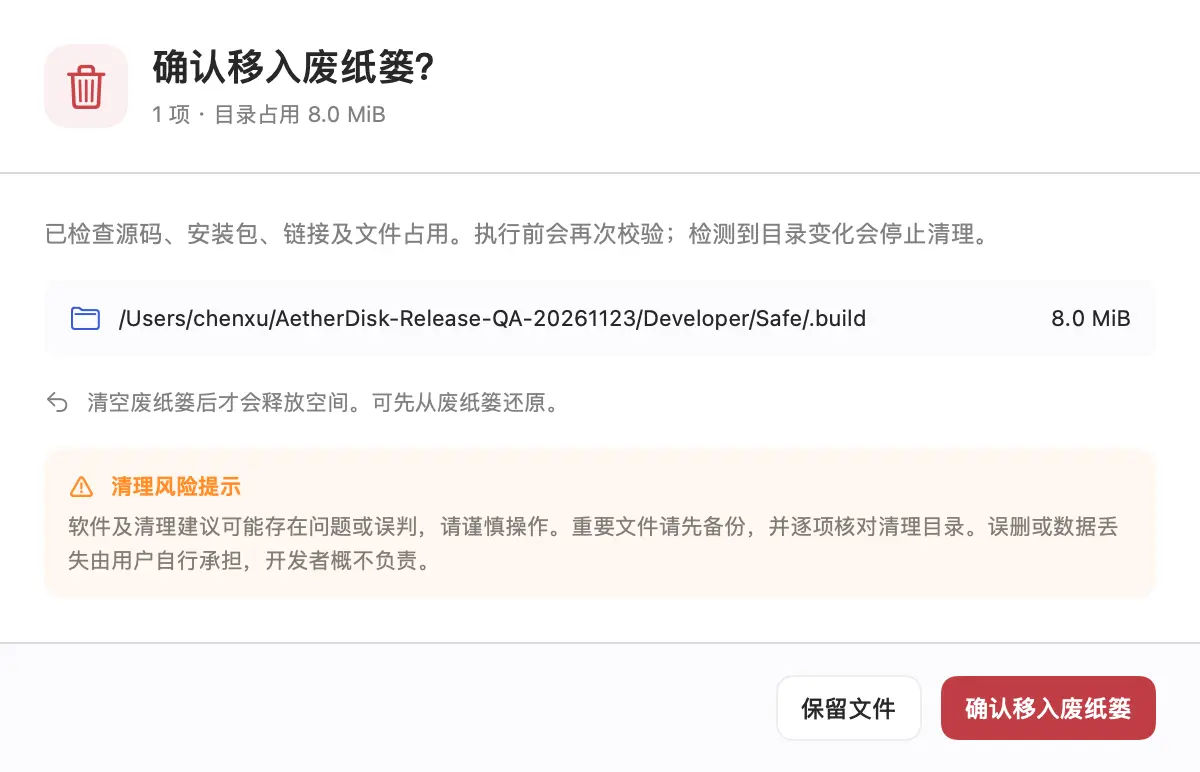
Validates regular-file project manifests and blocks cleanup for source code, Git worktrees, installers, signing archives or symlinks, alongside local custom protected folders and pre-Trash fingerprint revalidation.
Snapshot trends, audit ledger & CSV
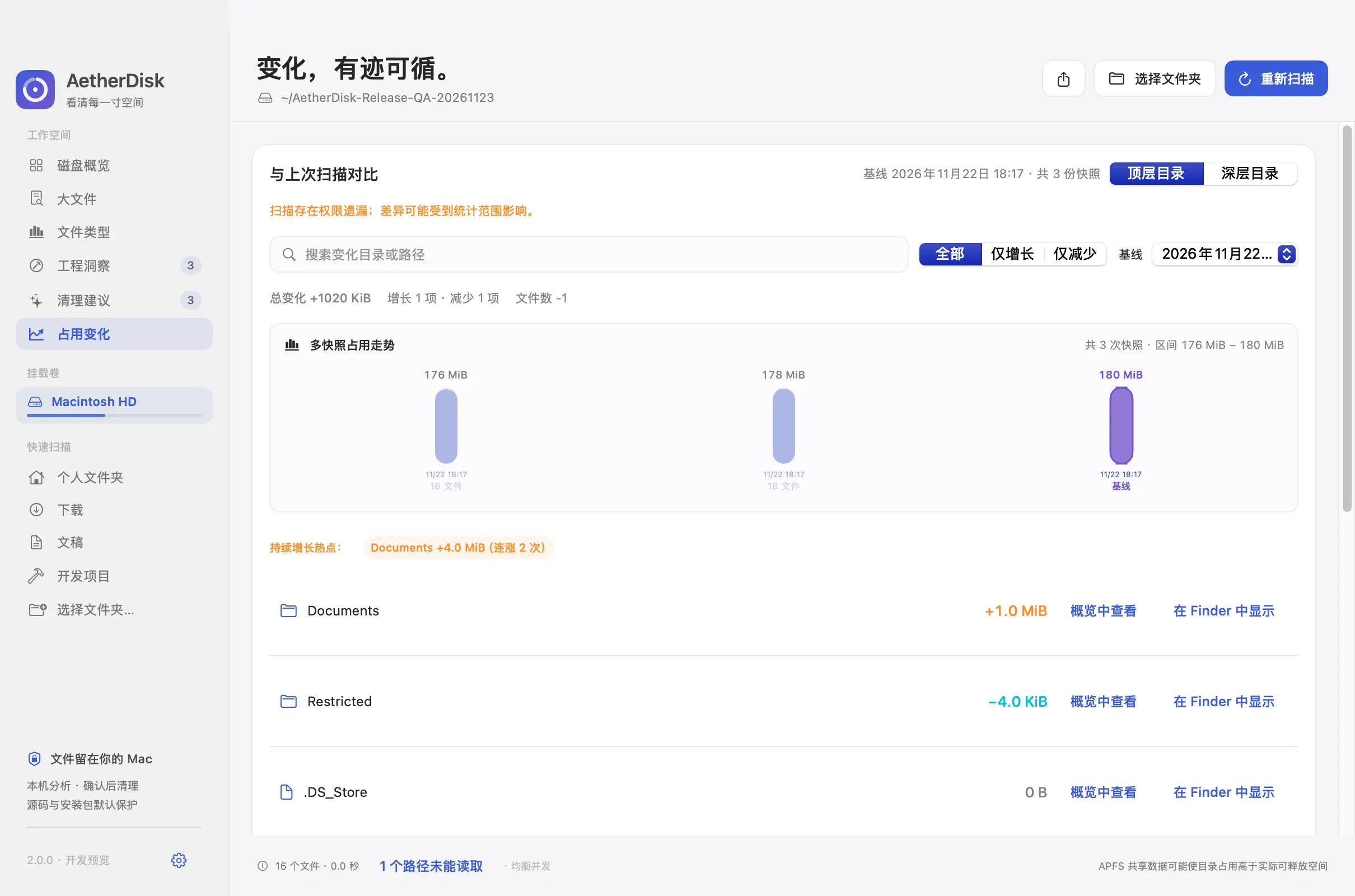
Retains up to 10 completed scan snapshots with continuous growth hotspots and a bar trend chart, logs the last 50 Trash actions locally, and exports 10-column sanitized CSV reports.
What are the cleanup risks and responsibilities?
The software and cleanup suggestions may contain errors or misclassifications. Use caution, back up important files and review every folder before cleaning. Users assume responsibility for accidental deletion or data loss; the developer accepts no liability.
Does it delete files automatically?
No. Suggestions are unselected by default and require review and confirmation. Cleanup moves items to system Trash without permanently deleting them or emptying Trash.
Why are some folders unreadable?
macOS privacy permissions may restrict access. The app reports gaps and links to Full Disk Access settings rather than treating unreadable content as zero usage.
Are in-app updates supported?
Yes. Updates use the signed website feed and require your decision to download and install. Update signatures are verified before extraction; system profiles are not sent.

AetherDisk for Mac
Give your disk some breathing room.
The software and cleanup suggestions may contain errors or misclassifications. Use caution, back up important files and review every folder before cleaning. Users assume responsibility for accidental deletion or data loss; the developer accepts no liability.
Community
How has your experience been?
No sign-in needed. Share your experience.
No published comments yet. Be the first to share your experience.
Community comments
Newest first · Replies grouped by topic